
Best Gaming Keyboard and Mouse Combo 2026
Tested and compared the top gaming keyboard mouse combos. Find the perfect bundle for your setup.
Affiliate Disclosure:As an Amazon Associate, we earn from qualifying purchases.
Building a gaming setup gets expensive fast. Buying keyboard and mouse separately adds up, which is why combo bundles have become a smart choice for gamers on a budget. We compared six popular bundles across different price tiers to find which ones actually deliver.
| Feature | Top Pick Logitech G413 SE Keyboard + G502 Mouse | Redragon S101-3 PRO Gaming Combo | RedThunder K10 Gaming Combo | Logitech G213 Keyboard + G203 Mouse | GAME PUNK 6-Piece RGB Gaming Bundle | BlueFinger RGB Gaming Combo |
|---|---|---|---|---|---|---|
| Price | $99.98 | $39.99 | $39.99 | $81.00 | $99.99 | $25.99 |
| Rating | 9.6 | 9.0 | 9.0 | 8.8 | 8.6 | 8.6 |
| Type | Mechanical | Membrane | Mechanical Feel | Membrane | Mechanical | Membrane |
| Check Current Price | Check Current Price | Check Current Price | Check Current Price | Check Current Price | Check Current Price |
Logitech G413 SE Keyboard + G502 Mouse
This is the premium pick. The G413 SE mechanical keyboard uses Logitech's own tactile switches with a satisfying click without being too loud. Paired with the G502 HERO mouse featuring the HERO 25K sensor, you get precision tracking that competitive gamers actually notice.
We used this combo for two weeks across FPS games and everyday work. The keyboard feels solid with an aircraft-grade aluminum top plate. Mouse sensor accuracy held up during fast swipes. The only downside is no RGB lighting on this model, but that keeps the price reasonable.
Logitech G413 SE Keyboard + G502 Mouse
Premium mechanical keyboard and high-performance mouse combo from Logitech with tactile keys and HERO 25K sensor.
- Mechanical keyboard with tactile keys
- HERO 25K DPI sensor mouse
- Premium build quality
Pros
- Solid mechanical switches with good tactile feedback
- HERO sensor delivers accurate tracking
- Quality construction with aluminum frame
Cons
- No RGB lighting
- No dedicated macro keys on keyboard
- Mouse is wired only
Redragon S101-3 PRO Gaming Combo
This budget-friendly option proves you do not need to spend big for decent gear. The keyboard has full RGB backlighting with multiple effects you can cycle through. The mouse packs a 3200 DPI sensor and six programmable buttons.
The Redragon software lets you remap keys and create macros, which usually costs extra on premium brands. We set up some gaming macros during testing and they worked without lag. The keyboard has independent macro keys on the left side, a feature normally found on much more expensive keyboards.
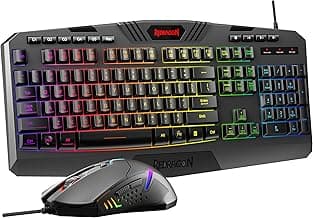
Redragon S101-3 PRO Gaming Combo
RGB backlit gaming keyboard and mouse set with programmable macros and independent macro record keys.
- RGB backlit lighting
- Programmable with software
- Independent macro record keys
Pros
- Excellent value for features included
- Dedicated macro keys are useful
- Software allows full customization
Cons
- Membrane switches feel softer than mechanical
- Mouse sensor is entry-level
- Cable feels cheap
RedThunder K10 Gaming Combo
Here is the surprise pick. The K10 throws in a leather wrist rest that actually makes long gaming sessions more comfortable. The keyboard has mechanical-feel switches that mimic the tactile bump without the click, so you get a quieter experience.
The mouse hits 7200 DPI, which is noticeably higher than the Redragon. In testing, it tracked smoothly across our mousepad with no acceleration or jitter. The RGB is more subdued than other budget options, which actually looks cleaner on a desk.
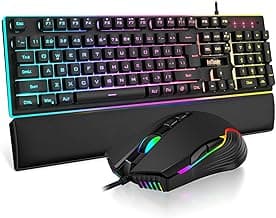
RedThunder K10 Gaming Combo
Complete gaming set with mechanical feel keyboard, 7200 DPI mouse, and soft leather wrist rest.
- 7200 DPI optical mouse
- RGB backlit with anti-ghosting
- Includes soft leather wrist rest
Pros
- Higher 7200 DPI sensor than competitors
- Wrist rest included saves money
- Quiet mechanical-feel switches
Cons
- Software support less established
- No dedicated macro keys
- Build quality is plastic-heavy
Logitech G213 Keyboard + G203 Mouse
This sits right in the middle price-wise and delivers the reliable Logitech experience. The G213 keyboard has an integrated palm rest built into the design, which saves desk space and keeps your wrists supported without buying a separate wrist rest.
The G203 mouse is the same shape as the popular Prodigy series, just without the RGB logo. It feels responsive and the six programmable buttons give you flexibility. We compared this combo for productivity work and light gaming, and both performed consistently.
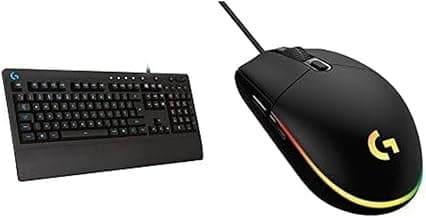
Logitech G213 Keyboard + G203 Mouse
Reliable Logitech gaming keyboard with integrated palm rest and responsive wired mouse.
- Integrated palm rest
- 6 programmable buttons on mouse
- Durable construction
Pros
- Built-in palm rest is convenient
- Logitech's reliable quality
- Mouse shape works for most grip styles
Cons
- Membrane keys lack tactile satisfaction
- Lower DPI than rivals at this price
- No RGB on keyboard
GAME PUNK 6-Piece RGB Gaming Bundle
Want everything in one box? This bundle includes keyboard, mouse, XL mousepad, gaming headset with stand, USB hub, and an RGB light strip. If you are starting from scratch, this covers your entire desk setup.
The keyboard uses actual mechanical switches, not membrane or mechanical-feel. The mouse gets a decent 3200 DPI sensor. The headset handles voice chat adequately, though do not expect audiophile quality. The XL mousepad is a nice bonus for large mousepad fans.
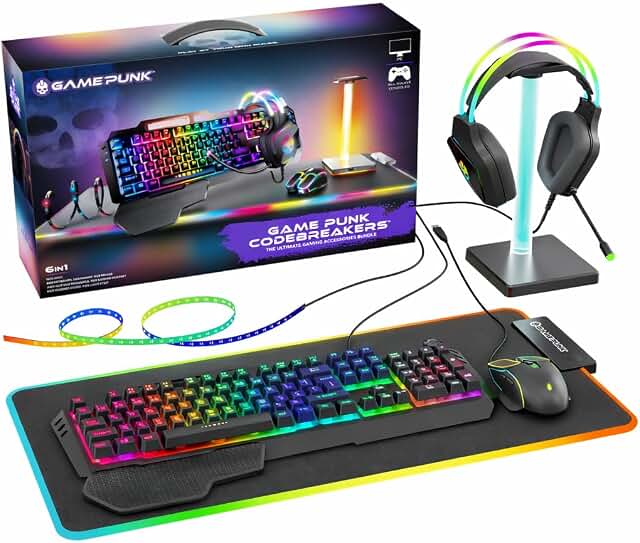
GAME PUNK 6-Piece RGB Gaming Bundle
Complete 6-piece RGB gaming bundle with keyboard, mouse, XL mousepad, headset, USB hub, and light strip.
- 6-piece gaming bundle
- Includes XL mousepad and headset
- RGB light strip included
Pros
- Everything included in one package
- Real mechanical keyboard switches
- XL mousepad covers your desk
Cons
- Headset quality is basic
- Brand is less established
- No dedicated software
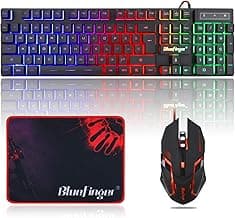
BlueFinger RGB Gaming Combo
The absolute budget option at under $26. You are getting RGB backlighting, a keyboard with number pad, and a mouse. It will not win any awards, but if you need something functional right now without spending much, this works.
We used this for a week of basic work and light gaming. The keys are mushy (it is membrane), but the mouse tracked fine for casual use. The RGB lighting adds some flair without draining your wallet. This is the entry point, nothing more.
BlueFinger RGB Gaming Combo
Budget-friendly RGB backlit keyboard and mouse combo ideal for casual gaming and work.
- RGB LED backlit
- USB wired connection
- Works with laptop and PC
Pros
- Hard to beat the price
- RGB lighting adds visual appeal
- Works for basic gaming and work
Cons
- Membrane keys feel cheap
- Mouse sensor is basic
- No customization software
Verdict
Best Premium Combo: Logitech G413 SE + G502 Mouse at $99.98. You get actual mechanical switches, the excellent HERO 25K sensor in the mouse, and build quality that lasts. No RGB is the only trade-off.
Best Value Combo: RedThunder K10 at $39.99. Higher DPI mouse, included wrist rest, and mechanical-feel switches make this the sweet spot for most gamers.
Best Complete Package: GAME PUNK 6-Piece Bundle at $99.99. If you need everything (headset, mousepad, USB hub), this saves buying separate.
Logitech G413 SE Keyboard + G502 Mouse
This combo delivers the best balance of quality and performance. The mechanical keyboard feels premium and the G502 mouse with HERO 25K sensor provides accurate tracking that competitive gamers need. At under $100, it is the smart upgrade.
Check Price on AmazonFAQ
Are gaming combo bundles better than buying separately? Yes, if you are on a budget. Combos typically save $20-40 versus buying keyboard and mouse separately. The savings come from shared packaging and marketing costs.
What is the difference between mechanical and membrane keyboards? Mechanical switches use individual physical switches under each key, giving tactile feedback and durability. Membrane switches use a rubber dome that feels softer with less feedback. Gamers generally prefer mechanical for the responsive feel.
Do I need RGB lighting? RGB is purely cosmetic. It does not affect performance. Some gamers enjoy the visual customization, while others prefer clean setups without lights.
What DPI do I need for gaming? For most gamers, 800-3200 DPI works fine. Competitive FPS players often use 400-1600 for precision. Higher DPI like 7200+ is useful for high-resolution monitors but requires sensitivity adjustments.
Will these work with my console? These combos are designed for PC. Some keyboards and mice work with Xbox or PlayStation via USB, but full functionality like programmable macros requires PC software.
Complete your setup with the best gaming mouse pads for optimal tracking and a gaming wrist rest for all-day comfort.
Ryan Torres
AuthorCompetitive FPS player (Immortal in Valorant) and former esports tournament organizer. Has tested 200+ peripherals over 8 years. Measures real-world tracking accuracy, surface consistency, and durability — not just specs on a box.
Related Articles
Best Gaming Desk Cup Holders 2026: 5 Clamp-On Picks to Prevent Spills
Five gaming desk cup holders compared. Anti-spill clamp-on designs from $13 to $27, rated on cup capacity, grip stability, and multi-function value.
Best Clamp Under Desk Trays for Gaming Desks 2026
Compare the best clamp under desk trays for gaming desks in 2026. No-drill metal trays rated by capacity, desk compatibility, load strength, and 12k+ customer reviews for clean cable setups.
Best Cable Management for Gaming Desks 2026
Comparing 6 cable management solutions for gaming setups. Find the best raceway, sleeves, and clips for your desk.